The Marvin mobile app has been rebuilt from the ground up for iPhone and Android (September 2026). It has a new look, new navigation and a lot of features that used to be web-only.
Your tasks, projects and settings are the same ones you have on the web and desktop app, and everything syncs between them.
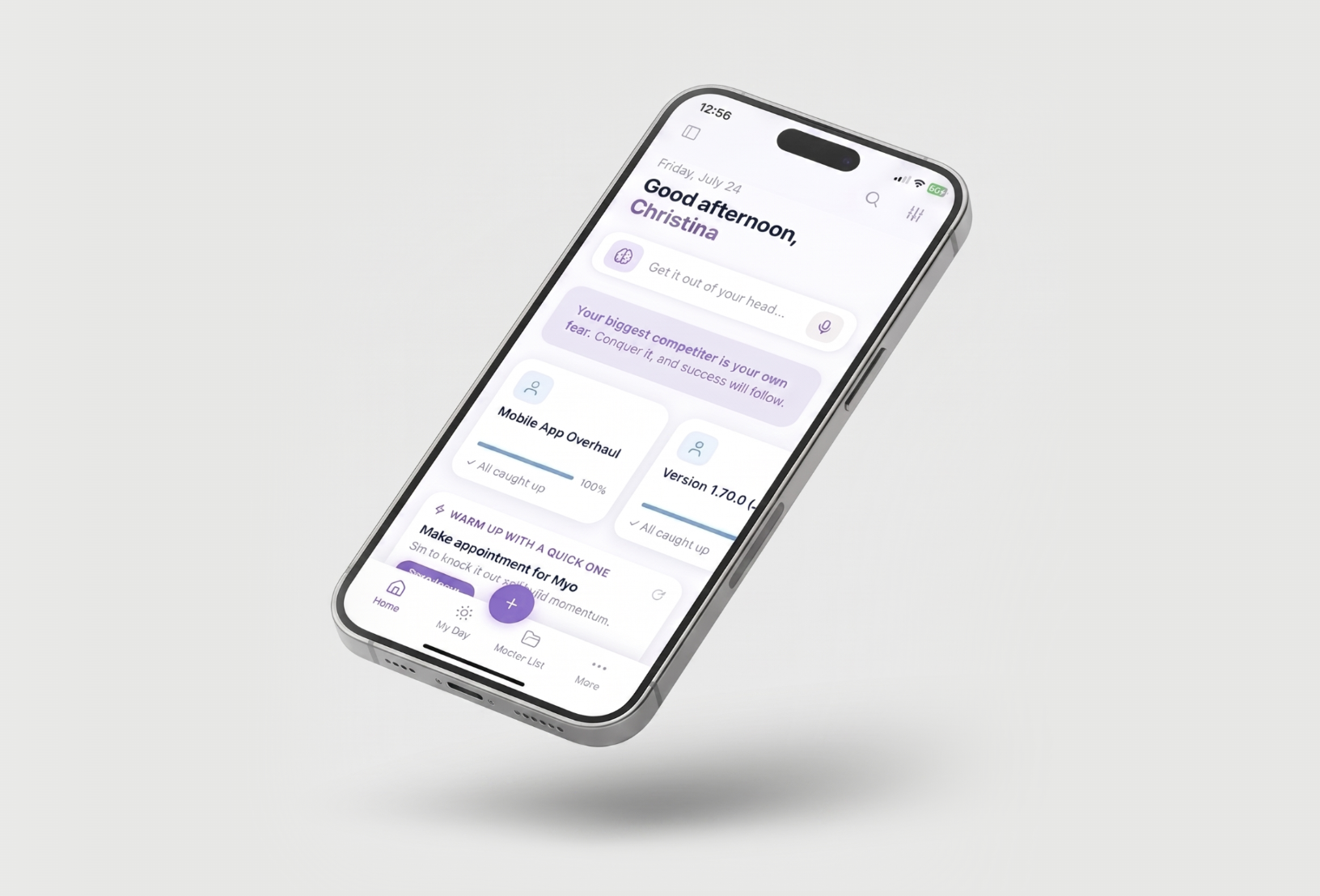
What's new
A new bottom bar customizable, with quick access to pages. See The bottom bar and the More panel.
A Home screen made of customizable blocks you pick yourself: brain dump, habits, deadlines, today's tasks, time targets and more. See Setting up your Home screen.
A faster add sheet with pills for date, list, duration and more, plus typed shortcuts, voice input and brain dump mode.
Swipe actions you can customize for tasks and projects.
A Features screen where you turn features on and off for your phone, just like on the web.
Many more features on mobile , including Habits, Notebooks, Pledges, Mood Tracker, Timers, Time Targets, Spotlight, Super Focus Mode and the Calendar. The missing features will come to Mobile in a later update while they are being overhauled on the web/desktop too (e.g. Goals, Matrix,
New phone widgets for your home screen, Lock Screen (iPhone) and Apple Watch.
Mobile and web work together
Marvin is one account across all your devices. Anything you add or change on your phone shows up on the web and desktop app, and the other way round.
There are a few things that you have to set up on the web or desktop app, like building smart lists and or labels. Once you create them there, you can use them on your phone. See What you still do on the web or desktop app.
Where to start
If you get stuck, tap Help in the More panel to email us. A real person answers.